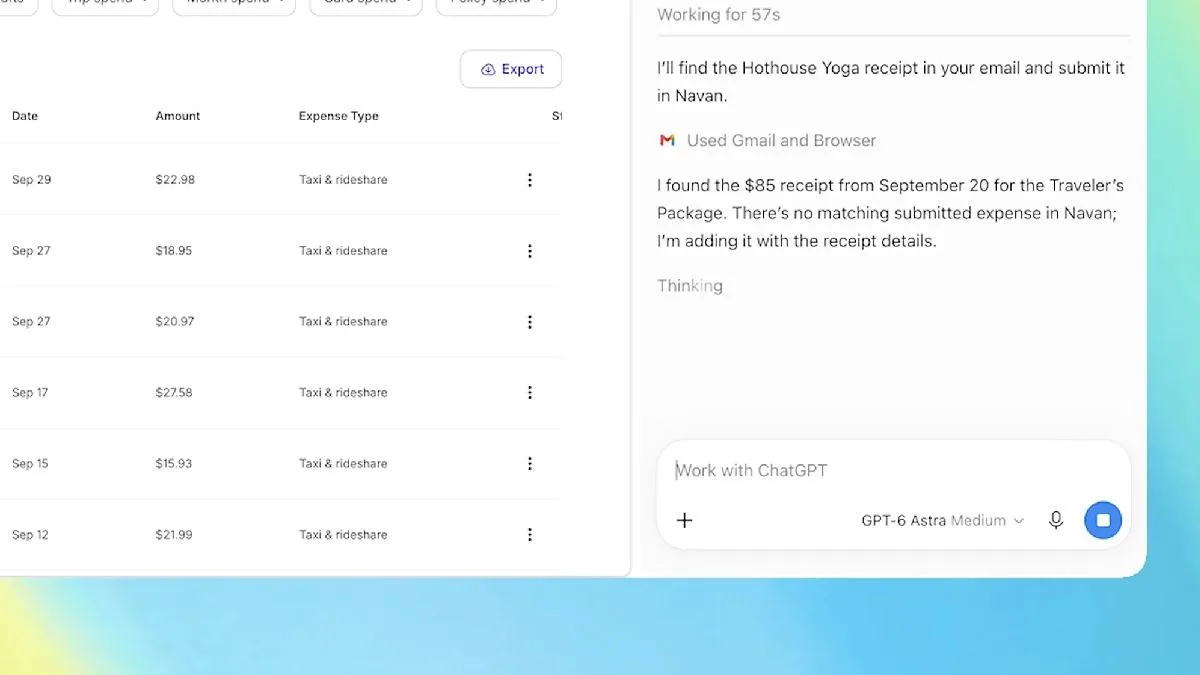

After pulling the plug on ChatGPT Atlas, its standalone browser experiment, OpenAI has filled the gap by beefing up its Chrome extension instead. The newly released update puts what the company calls "computer use" capabilities into the hands of every Chrome user.
The AI can now look at your browser tabs
Perhaps the most striking part of the update is this: ChatGPT can now read the tabs you currently have open in your browser. By tagging Chrome in the web or desktop app, users can hand the contents of a tab straight to the AI without even having to phrase a question about it.
A demo video released by the company showed the capability in action: three sofa models opened in three separate tabs were handed to ChatGPT for comparison in a single step. According to OpenAI, this makes cross-tab answers far more useful.
The use cases are ambitious, too. The system can turn service providers from your open tabs into a comparison table, complete with prices, key features and source links. Or it can pick the right supplier for a home renovation project and draft an email to them on your behalf.
The full chat experience without leaving the page
The refreshed extension goes beyond reading. Chrome's side panel now hosts a complete version of ChatGPT. Users can access their entire chat history without leaving the web page they are on, and direct their questions through the Chat or Work tabs in the panel.
Work manages tabs on your behalf
Another new capability has landed on the ChatGPT Work platform. Thanks to "tab control," the AI can complete actions such as filling out registration forms, sending messages or downloading files on the user's behalf.
These abilities also allow open tabs to be organized and grouped, in a similar way to Google's Gemini-powered automatic scanning feature. With the move, OpenAI has effectively carried its browser ambitions from Atlas over to Chrome.




Comments (0)
No comments yet. Be the first!